Read dish names in place
Translated labels stay with the original menu items, so it is easier to see which dish is which.
AI menu translator for international travel
Dish names directly on the menu. Tap for details.
Scan a restaurant menu with your camera or choose a photo from your library. Meniru places translated dish names directly over the original menu.
There is no separate translation list to match back to the menu. Tap any dish to see a short description and possible ingredient clues.
iPhone only, available on the App Store
Try it free 3 times
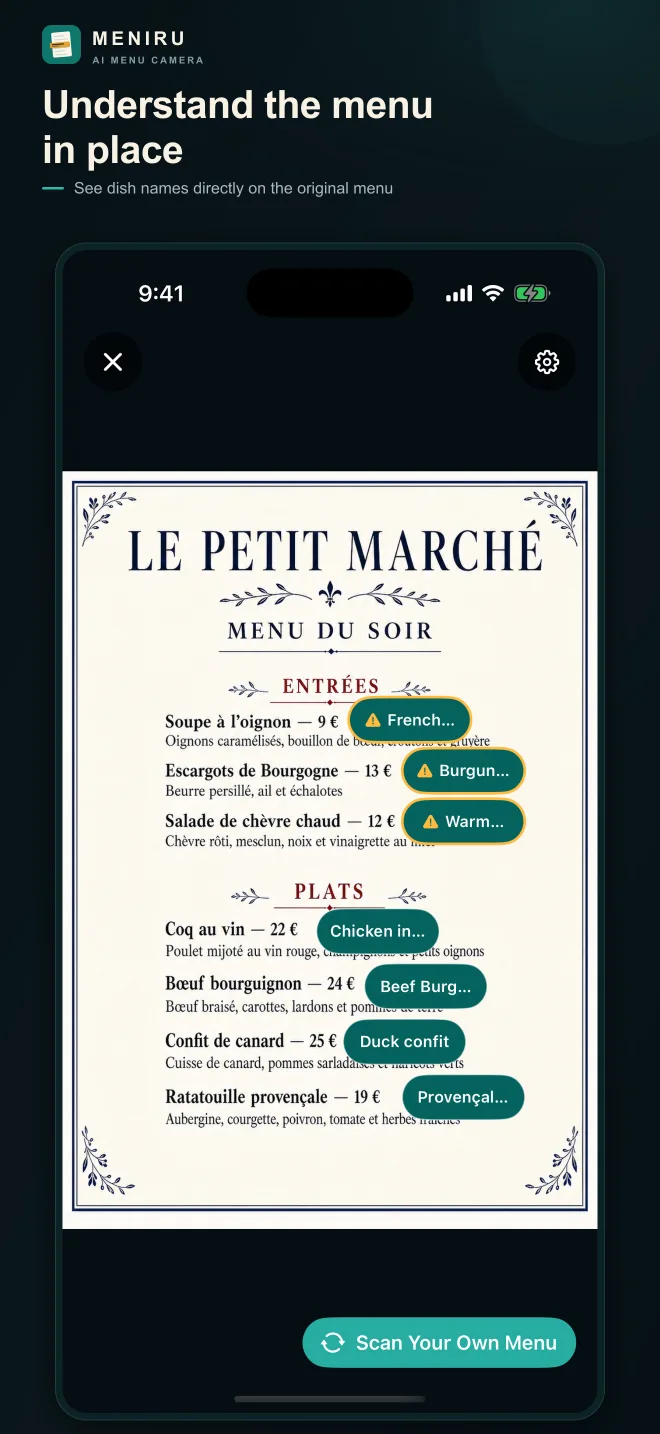
Understand translated dish names together with their original positions. Open only the dishes you want to learn more about.
Translated labels stay with the original menu items, so it is easier to see which dish is which.
Open a dish for a short description and possible ingredient clues. Image search is available when needed.
Take a new photo, choose a saved photo or screenshot, or try the built-in sample without using a scan.
When translations are rearranged into a separate list, you still need to find each item on the original menu.
Regional names and unfamiliar dishes may need a short explanation before you can picture what they are.
First, scan the whole menu with translated labels in place. When something looks interesting, tap that dish to learn more.
Step 1
Take a new photo, choose one from your library, or explore the built-in sample first.
Step 2
Meniru analyzes the names shown in the image and where each one appears on the menu.
Step 3
Translated labels appear over their original items instead of being rearranged into a separate list.
Step 4
Check a short description and possible ingredient clues, then open image search or dietary matches when useful.
Use the labels to understand each dish together with its original position.
Tap an interesting dish to see a description and possible ingredient clues.
If you save dietary preferences, Meniru can show possible matches in dish details. It does not determine whether a dish is safe.
Real Meniru 1.1.0 screens prepared for the App Store.
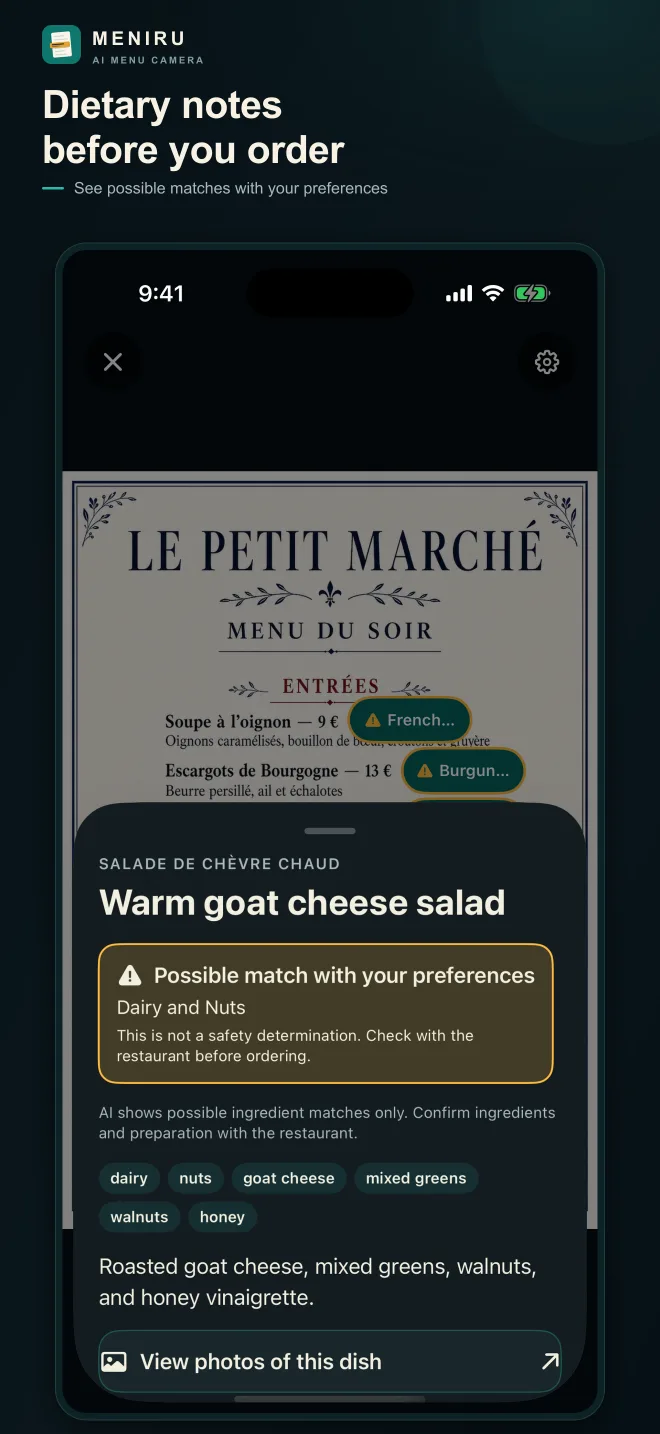
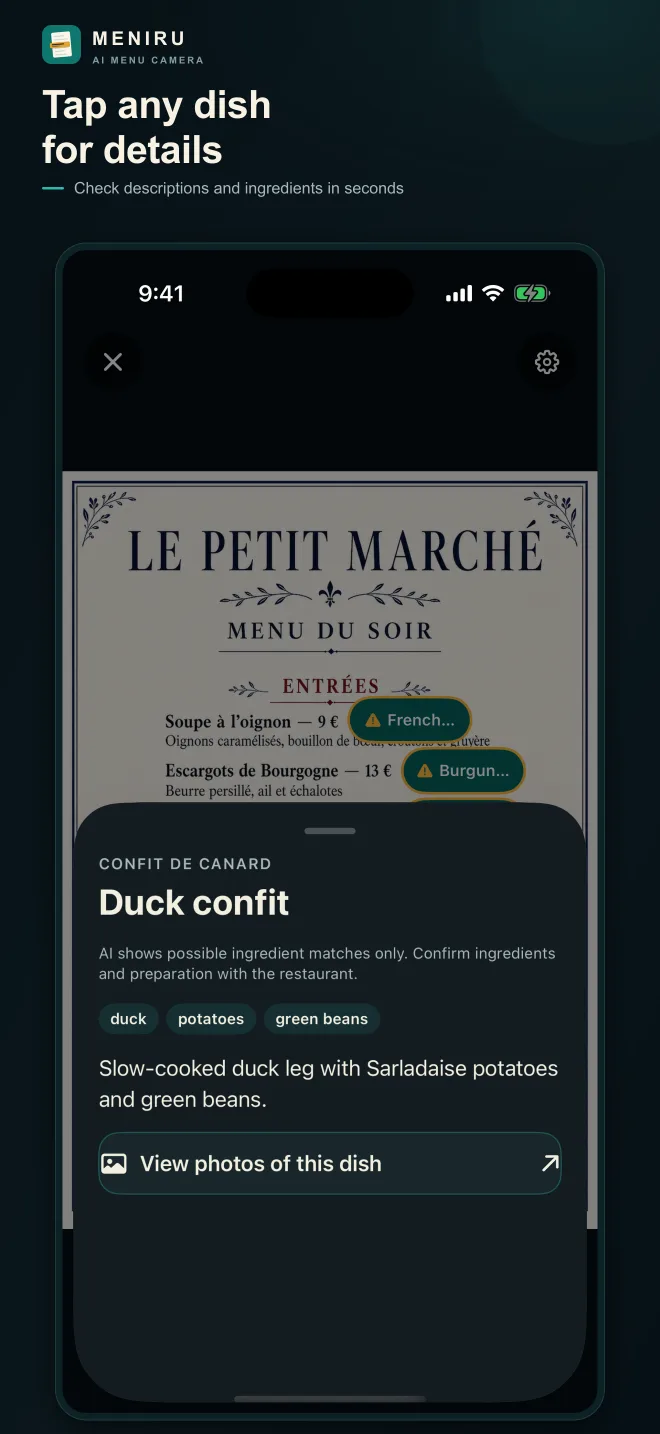
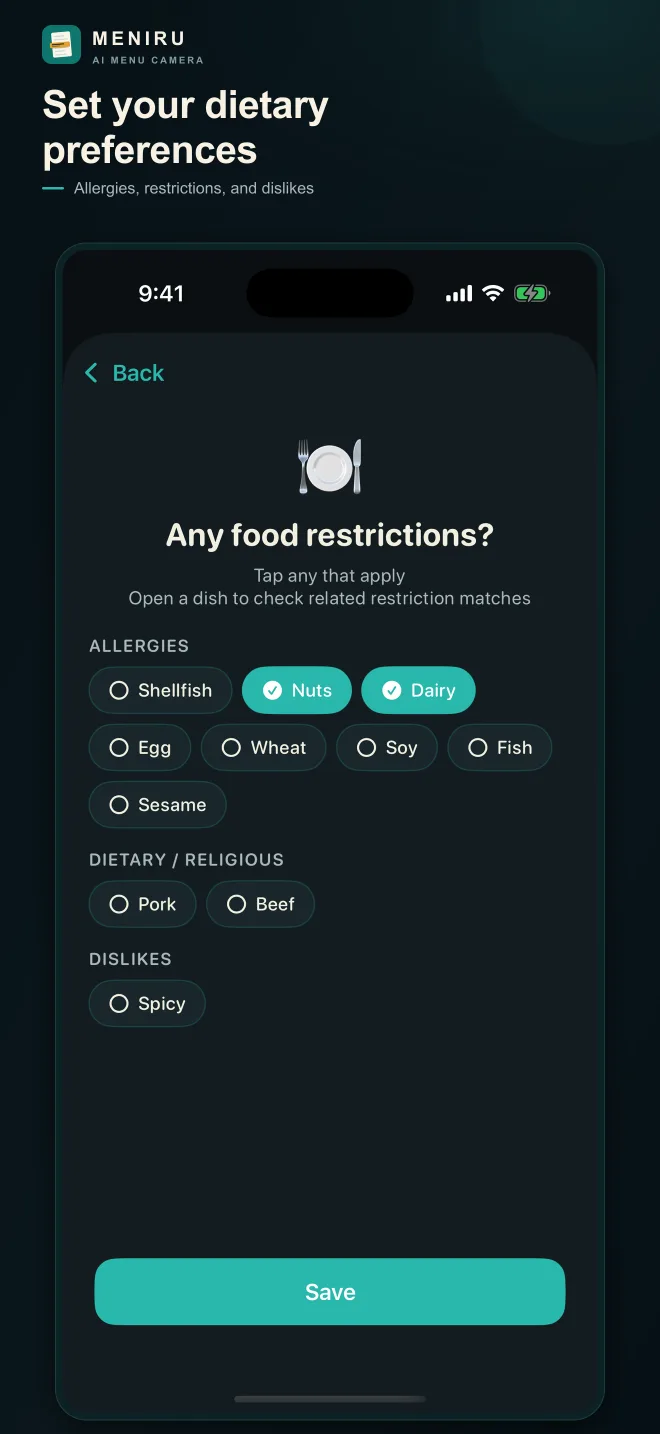
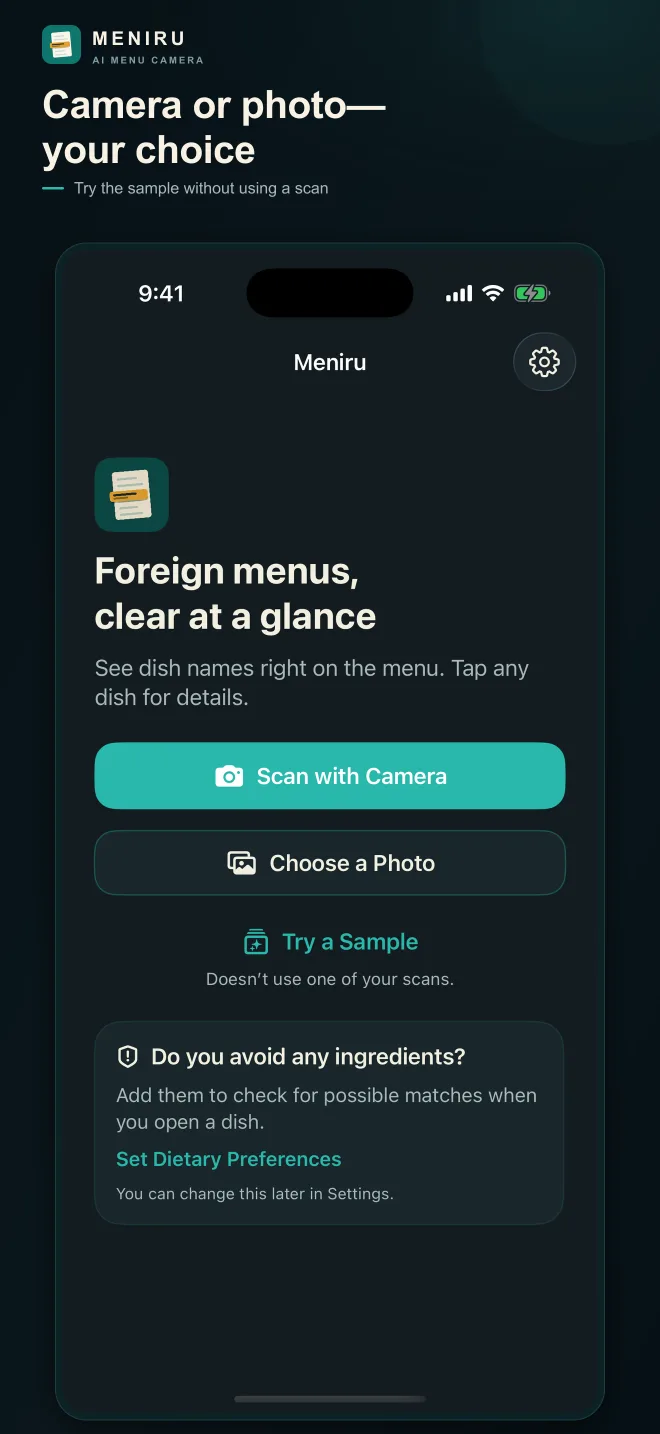
Capture a menu in the moment or import a saved photo or screenshot.
Labels appear where each dish is located, so you do not have to compare against a separate translation list.
If a name and description are not enough, open image search in one tap.
When a dish may relate to a saved preference, Meniru shows a possible match in the detail view. It does not determine safety.
Practical guidance for reading restaurant menus, comparing translation tools, and asking the right questions abroad.
MENU TRANSLATION
Compare conversation, camera, and menu translator apps, then follow a practical ordering checklist.
FOOD ALLERGIES
Prepare translation cards and learn which restaurant details must be confirmed directly.
APP COMPARISON
Choose the right tool for menus, signs, conversations, and safety-sensitive questions while traveling.
Start with 3 free tries
Test it in a real travel situation before deciding whether you want more scans.
After the free tries, you can continue with scan packs when needed.
See the latest pricing details inside the app.
No. Menu analysis and the explanation or possible dietary-setting matches fetched when you open a dish require an internet connection.
Meniru is designed for multilingual restaurant menus, but results can vary depending on the language, image quality, and menu layout.
No. Allergen and dietary information is shown as AI-generated guidance. Always confirm important details with the restaurant before ordering.
You can try Meniru free 3 times before deciding whether you want to keep using it during your trip.
After the first 3 free uses, you can continue with scan packs. Please check the app for the latest pricing details.
Yes. Meniru is available for iPhone on the App Store.
Meniru places dish names directly where they appear on the menu. Open a dish to check its explanation and possible matches with your dietary settings without comparing a separate translation list.
Meniru places dish labels directly on the menu and keeps deeper information one tap away, making foreign dish choices easier to understand.
Try it free 3 times
For feedback or bug reports, please email meniruhelp@gmail.com.